Bring Your Brand to Life with the One Shot Font
Sitting at my desk with a fresh cup of coffee and a stack of blank labels, I knew it was time to find the perfect font for my new line of hand-poured candles. I had spent hours sketching out label designs, but nothing felt quite right—until I stumbled upon One Shot. This casual, fun handwritten font immediately caught my eye, and as I began testing it on mockups, I realized how well it matched the cozy, artisanal vibe of my products.
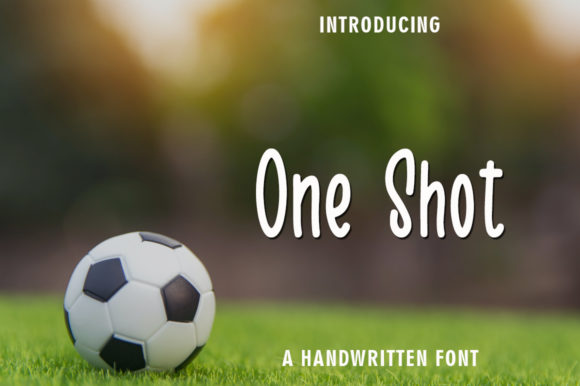
One Shot is a script font created using a brush pen, giving it that authentic, handwritten feel. It’s clean yet quirky, making it ideal for anything from small product tags to large statement signs. The soft curves and playful strokes add a personal touch that feels inviting and approachable. It’s not overly ornate, which makes it versatile enough to work with both minimalist and detailed designs.
Designing Labels with One Shot
I started by applying One Shot to my candle labels. I wanted something that would stand out but still look professional. I tested a few variations: one with just the product name in the font, another with a short tagline, and even a version with a small illustration next to the text. Each time, One Shot brought a sense of warmth and personality to the design.
The font works especially well on small labels because its clean lines are easy to read without sacrificing charm. I also found that when paired with a simple sans serif font like Helvetica or Arial for secondary text, the contrast made everything pop. This combination helped me create clear, visually appealing labels that customers could read at a glance.
Crafting Invitations and Stationery
Next, I used One Shot for a set of birthday invitations I was designing. I wanted the cards to feel personal and handmade, so I opted for a layout that included a handwritten message in the font. The result was a warm, friendly invitation that felt like it came straight from a friend’s notebook.
For wedding invitations, I experimented with One Shot on the outer envelope and a more formal serif font for the inner card. This pairing gave the design a balanced look—playful on the outside, elegant on the inside. I also used the font for decorative elements like “Save the Date” stamps and RSVP cards, which added a cohesive touch across all the stationery pieces.
Creating Digital Printables and Merchandise
As a printable creator, I often design digital templates for planners, wall art, and greeting cards. One Shot has become a go-to choice for many of these projects. Its whimsical style fits perfectly with seasonal themes, such as fall harvest prints or holiday calendars. I’ve used it for planner pages with motivational quotes and for digital wall art with inspirational phrases.
When designing SVG files for Cricut or Silhouette users, I make sure to test how One Shot looks at different sizes. The font handles small cuts well, which is essential for stickers and tags. I also check if the font includes any special characters or ligatures that might be useful for specific words or names.
Branding and Packaging Design
One Shot has also played a big role in my boutique packaging. I used it for custom tags attached to my handmade soap bars and bath bombs. The font’s unique character helped differentiate my products from others on the shelf. I also incorporated it into my brand logo, where it added a personal, artisanal flair that resonated with my target audience.
For larger packaging designs, I combined One Shot with a bold display font for headlines and a clean sans serif for body text. This mix created a visually engaging layout that drew attention while maintaining readability. I made sure to keep the font size consistent across all materials to maintain brand consistency.
Choosing the Right Font for Your Project
While One Shot is great for short phrases and decorative text, it may not be the best choice for long paragraphs. I always use it for headings, titles, and names rather than for body text. That said, its versatility allows it to shine in a wide range of creative applications—from product labels to social media graphics.
Before using One Shot for commercial purposes, I double-check the font license to ensure it covers my intended use. I also look into the available styles, alternates, and file formats to see if they meet my needs. For example, if I need multilingual support or specific ligatures, I make sure those are included in the font package.
Whether you’re designing for your own shop or creating digital assets for sale, One Shot offers a unique blend of charm and functionality. Its clean, handwritten aesthetic brings a personal touch to every project, helping you stand out in the world of handmade and creative design.